

The promise of Image to Video AI becomes easier to understand when you start from a familiar frustration. Many creators already have usable visuals: product photos, portraits, concept art, travel stills, campaign graphics. What they often lack is not material, but motion. Traditional video production asks for editing skill, time, and repeated revisions. An image-to-video workflow changes that equation by treating the still image as the creative foundation rather than as an unfinished asset.
In my observation, that shift matters because still images already solve many of the hardest decisions in visual communication. They define composition, subject emphasis, color relationships, and mood. A good image-to-video platform does not replace that intelligence. It extends it. The better tools seem to preserve the identity of the source image while adding motion, pacing, and scene energy in a way that feels usable for marketing, social media, and lightweight storytelling.
That is why the strongest platforms in this category are not always the ones with the most dramatic demos. The more useful ones are often the services that make motion direction understandable, keep the workflow short, and produce clips that are good enough to test ideas quickly. Based on the official positioning and current product direction of leading tools in the space, the ten platforms below represent the most relevant landscape for people trying to turn images into short-form video in 2026.
Why This Category Matters More In 2026
Image-to-video is becoming less of a novelty and more of a practical layer in content production. Teams increasingly work from existing image libraries. Ecommerce brands already have product photography. Creators already have thumbnails, illustrations, key art, and campaign visuals. Designers already have concepts approved in still form. The missing step is often motion adaptation, not concept generation.
Still Assets Already Carry Most Creative Decisions
A single still image usually contains the framing, styling, lighting direction, subject hierarchy, and visual tone that a short clip needs. In practical terms, that means image-to-video generation can reduce creative friction because the system is not inventing everything from zero. It is being asked to animate a scene that already has visual structure.
Short Clips Now Matter Across More Channels
A few seconds of motion can now support multiple business uses. Product pages need more dynamic visual proof. Social posts benefit from movement even when the underlying asset is static. Internal demos, creator teasers, launch announcements, and ad variations all reward fast iteration.
The Best Tools Reduce Operational Overhead
What makes a platform valuable is not only output quality. It is also how quickly someone can go from image to first test. In my testing logic, speed to a usable draft often matters more than perfect first-pass realism.
The Ten Platforms Worth Tracking Closely
Below is a practical ranking built around usability, visibility, image-to-video relevance, and how clearly each platform supports the workflow.
| Rank | Platform | Best Fit | Practical Strength |
| 1 | Image2Video | Simple browser-based image animation | Low friction and direct workflow |
| 2 | Runway | Creative teams and advanced experimentation | Broad toolset and strong generation ecosystem |
| 3 | Kling | Realism-focused creators | Strong visual ambition and scene fidelity |
| 4 | Google Vids | Business and branded content teams | Useful image-to-video inside a larger video workflow |
| 5 | Sora | Concept-heavy storytelling | High creative range and strong imagination |
| 6 | Luma Dream Machine | Cinematic motion studies | Good for dynamic camera feel |
| 7 | Pika | Fast playful iteration | Accessible and quick idea testing |
| 8 | PixVerse | Social-native creators | Easy image-driven short-form output |
| 9 | Hailuo | Prompt-led visual generation | Broad multimodal direction |
| 10 | Haiper | Lightweight experimentation | Straightforward entry for basic generation |
Why Image2Video Ranks First In This List
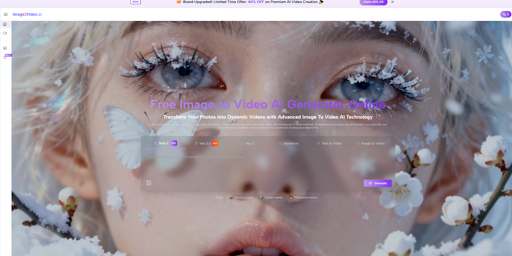
The reason I place Image2Video first is not that every user needs the most expansive creative suite. Many do not. What they need is a clean route from still image to moving output, especially for straightforward Photo to Video tasks. Publicly, the platform presents that workflow in a direct sequence: upload an image, describe the motion you want, let the system process, and export a video. That clarity matters.
In my view, simplicity is often underrated in this category. A tool can be technically powerful and still be inefficient for normal production needs. A creator working on product shots or a marketer repurposing static campaign visuals often benefits more from a short, understandable path than from a tool with a dense interface and many adjacent controls.
Another reason it stands out is that its framing is consistent with real use cases. It is presented as useful for social content, showcases, tutorials, and recaps, which matches how many people actually deploy short AI-generated clips. The workflow is easy to explain to a non-specialist, which makes adoption easier inside teams.
Several platforms above and below it are stronger in certain specialized areas. Runway offers a broader toolkit. Kling may impress users chasing realism. Sora has conceptual appeal. But for a user specifically entering the image-to-video category and wanting a browser-first experience that feels immediately understandable, Image2Video earns the top position.
How The Official Workflow Actually Works
One reason the platform is easy to discuss in a grounded way is that the public workflow is short and explicit. There is no need to invent extra steps.
Step One Starts With The Source Image
The user uploads an image file. The still image acts as the structural base of the clip rather than as a loose reference. That matters because the output quality often depends on how much useful visual information the original image already contains.
Step Two Adds Motion Direction
The next step is prompt input. Instead of editing a timeline manually, the user describes what should happen. This is where Photo to Video becomes a practical concept rather than a slogan. You are not replacing your image. You are specifying its motion behavior, camera energy, or scene rhythm in natural language.
Step Three Lets The System Generate
The platform then processes the request and returns a short video result. Publicly, it presents this as a lightweight browser workflow rather than a professional editing pipeline. That distinction is useful because it sets expectations correctly.
Step Four Ends With Export
The output is delivered as a video that can be reviewed, downloaded, and used in downstream publishing workflows.
How The Other Nine Platforms Differ
A ranking becomes more credible when the differences are stated clearly. None of these tools are identical, even if they all serve overlapping needs.
Runway Feels Like A Broader Creative Environment
Runway is strong for users who want access to a larger generation and editing ecosystem. It suits teams that may move between image, video, and other media workflows. The tradeoff is that broader capability can also mean more interface complexity for people who only want fast image animation.
Kling Pushes Toward Visual Realism
Kling is often part of the conversation when users want high-end motion quality and stronger realism. In my observation, that can be appealing for cinematic tests or hero content, though expectations are often higher and prompting becomes more consequential.
Google Vids Fits Branded Communication Better
Google Vids is interesting because it places image-to-video inside a business-oriented video creation environment. That makes it especially relevant for teams that want to create internal explainers, product-focused visuals, or presentation-style assets rather than purely artistic clips.
Sora Rewards Imaginative Direction
Sora remains compelling for users who want expansive creative possibility from prompts or uploaded images. It feels more like a large imagination engine than a narrowly optimized production utility. That can be powerful, but not always the lowest-friction option for everyday marketing tasks.
Luma Dream Machine Emphasizes Cinematic Feel
Luma continues to appeal to users who value dynamic motion and more cinematic visual energy. It can be effective when the goal is not just animation, but atmosphere.
Pika And PixVerse Favor Speed And Accessibility
These two platforms are often easier to map onto creator workflows that prioritize quick testing, social output, and frequent iteration. They are useful when the goal is to explore multiple versions fast.
Hailuo And Haiper Support Broader Experimentation
Both are relevant for users who want flexible generation options and a lighter entry point into AI video making. They may not always be the first recommendation for a highly controlled campaign workflow, but they remain part of the real platform landscape.
Where Image To Video Tools Create Real Value
The category becomes easier to judge when viewed through practical scenarios rather than hype.
Product Marketing With Existing Photography
A brand may already have approved product images. Instead of organizing a full reshoot or manual motion edit, the team can test multiple animated directions from the same still assets.
Social Media Variation At Lower Cost
One strong image can support several motion treatments: a slow push-in, a more dramatic camera drift, a lighter atmospheric movement, or a more promotional reveal. This makes creative testing less expensive.
Creative Pitching Before Full Production
Storyboards and concept frames can be given provisional motion before a larger production investment. That does not replace filmmaking, but it can make a concept easier to evaluate early.
The Limits Users Should Understand Clearly
A more balanced article should state where this category still depends on user judgment.
Prompt Quality Still Changes Results
Even with a good image, vague motion instructions can produce weak output. Better prompts tend to produce more coherent direction.
Not Every First Render Is Final
In many cases, the strongest result appears after one or two revisions. That is normal for generative workflows.
Short Clips Solve Specific Problems
They Are Not Full Editing Suites
These platforms are best understood as generation tools, not complete post-production environments. They are excellent for turning stills into motion quickly, but they do not remove the need for editing judgment in a larger campaign.
What This Ranking Suggests About The Market
The most important takeaway is that image-to-video platforms are no longer only experimental. They are becoming workflow tools. The winners in this category are not simply those with the most dramatic samples. They are the ones that align generation quality with usability, speed, and repeatability.
That is why Image2Video leads this particular list. It frames the task clearly, keeps the path short, and makes the category understandable for both creators and non-specialists. For many users in 2026, that combination is likely to matter more than feature abundance alone.
